



jMeter
Apache jMeter is an open source software, it's 100% pure Java based application designed to load test functional behaviours and measure performance. It was originally designed for testing Web Applications but has expanded its capability since then to other functionalities which include Heap DUMP, SMTP request, JDBC request, etc.

If you are building a web application, the server carries a lot number of applications and users. So it is necessary to know the capability of the server to handle simultaneous user requests or applications. jMeter is a tool which helps us in these type of scenarios. It simulates real-user behaviours and performance/load to test your application. It is not a browser and it doesn't render HTML pages like any other browsers, but just acts like a protocol level. It is designed to load the functional behaviour and measure performance of your application.
Following Protocols are supported by jMeter:
- Web - HTTP, HTTPS sites, Web 1.0 and Web 2.0 (Ajax, Flex and Flex-WS-AMF)
- Web Services - SOAP / XML-RPC
- Database via JDBC drivers
- Directory - LDAP
- Messaging oriented service via JMS
- Services - POP3, IMAP, SMTP
Steps to Install jMeter
- Install Java
- Download jMeter
- Installation of jMeter is extremely easy and simple. After downloading the ZIP/TAR file from the above URL, unzip it into the directory where you want jMeter to be installed.
- On Windows, it can be invoked by starting
bin/jmeter.bat. On Linux/Unix, jMeter can be invoked by executing the shell script. - Executing the jmeter.bat / jMeter shell script will open the Apache jMeter GUI application.
Test Plan
A Test Plan can be viewed as a container for running tests. It defines what and how to test. A complete test plan consists of one or more elements such as:
- Thread Groups
- Samplers
- Listeners
- Timers
- Assertions and Configuration Elements
A test plan must have at least one thread group.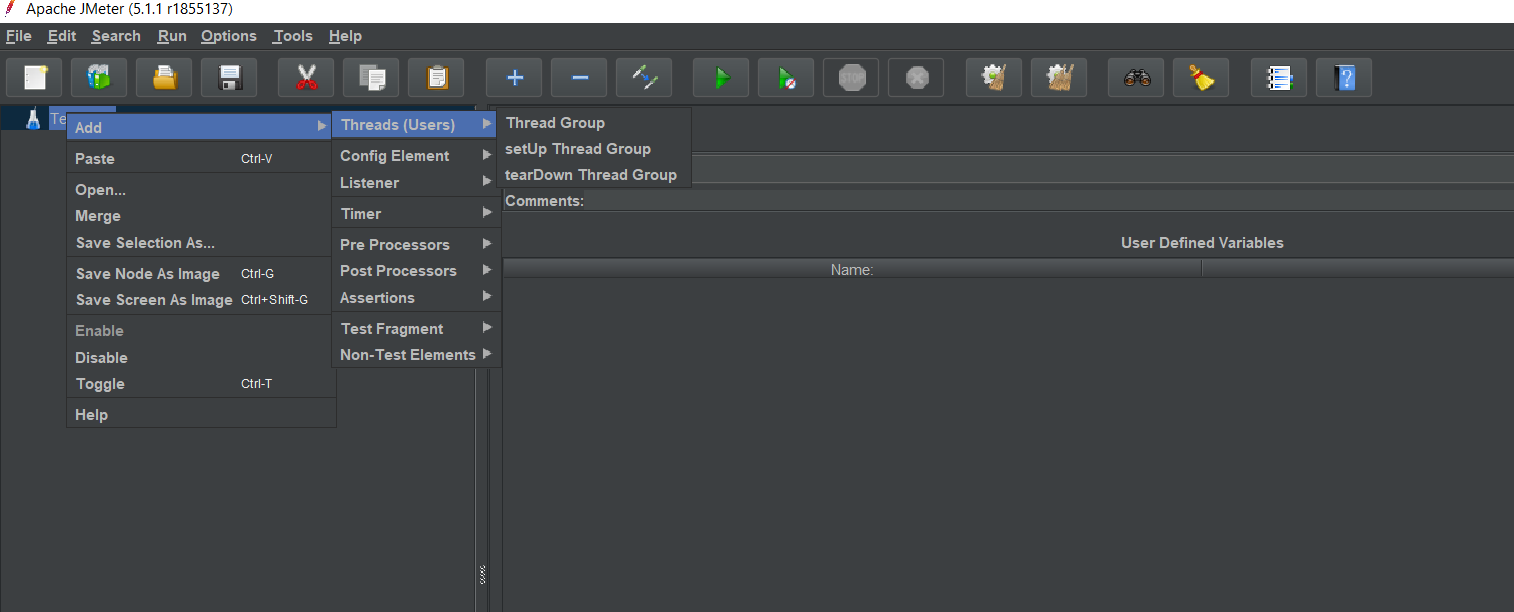 Thread
Right click on TestPlan - > Add - > Thread(Users) - > Thread Group
Thread Group is a collection of Threads. Each thread represents one user using the application. Basically, each Thread simulates one real user request to the server. The controls for a thread group will allow you to Set the number of threads for each group. For example, if you set the number of threads as 100; jMeter will create and simulate 100 user requests to the server to test.
Samplers
Right click on Thread Group - > Add - > Samplers
Samplers are used to send any specific types of request to the server. You can add HTTP request sampler with method GET, POST, PUT, DELETE
Listeners
Right click on Thread Group - > Add - > Listners
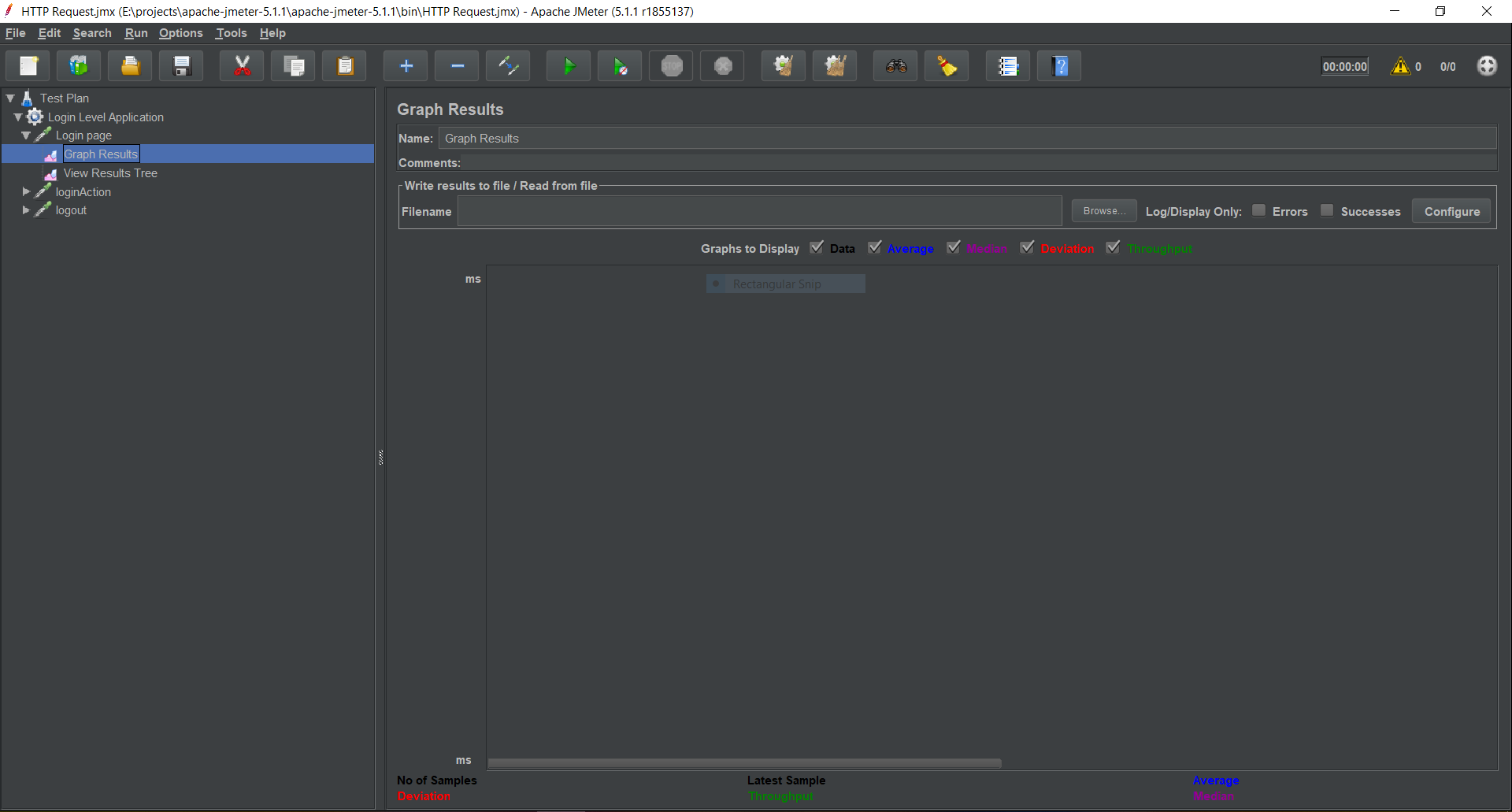
Listeners show the results of the sampler in the form of tables, graphs, trees and logs result in a file. The data gathered by jMeter can be visually accessed with the help of Apache jMeter GUI application which starts when jMeter.bat is executed. We can add more listener types for a sampler.
Timers
Right click on Thread Group - > Add - > Timers
We can add a timer element which allows you to define a period to wait between each request.
Assertions
Right click on Thread Group - > Add - > Assertions
Assertions allow you to include some validation test on the response of your request made using a Sampler
Configuration Elements
Right click on Thread Group - > Add - > Config Elements
Configuration Elements allow you to create defaults and variables to be used by Samplers. They are used to add or modify requests made by Samplers.
Pre-processor Elements
Right click on Thread Group - > Add - > Pre processors
The pre-processor element allows you to runs something just before a sampler executes.
Post-processor Elements
Right click on Thread Group - > Add - > Post processors
A post-processor element allows you to runs something after a sampler finishes its execution.
Execution Order of Test Plan
- Cofiguration elements
- Pre-Processors
- Timers
- Sampler
- Post-Processors (unless SampleResult is null)
- Assertions (unless SampleResult is null)
- Listeners (unless SampleResult is null)
Test Application with jMeter
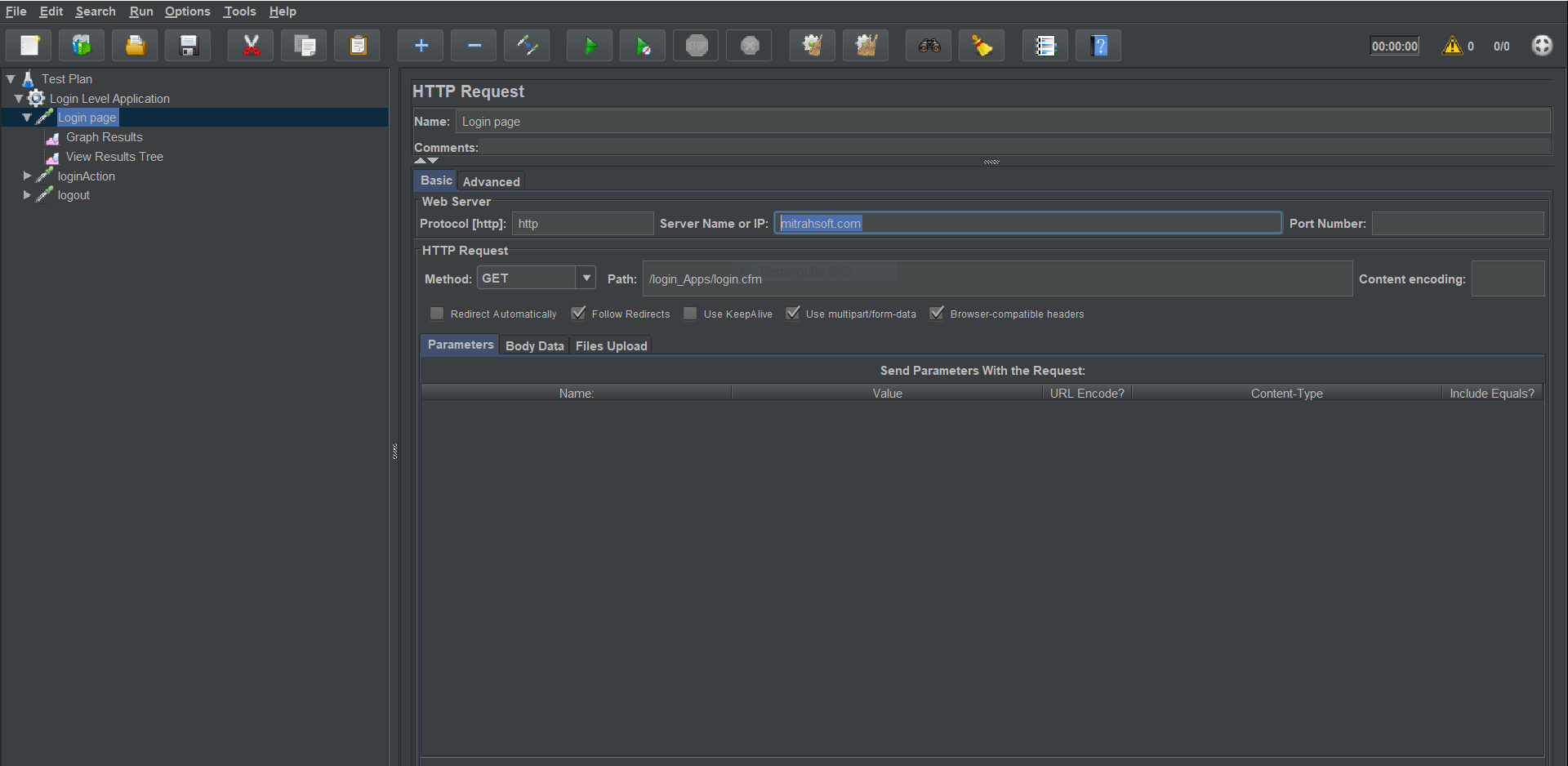
Now we are going to test the sample login application in ColdFusion with jMeter tool. Create a Thread Group with 100 threads which Equals to 100 users.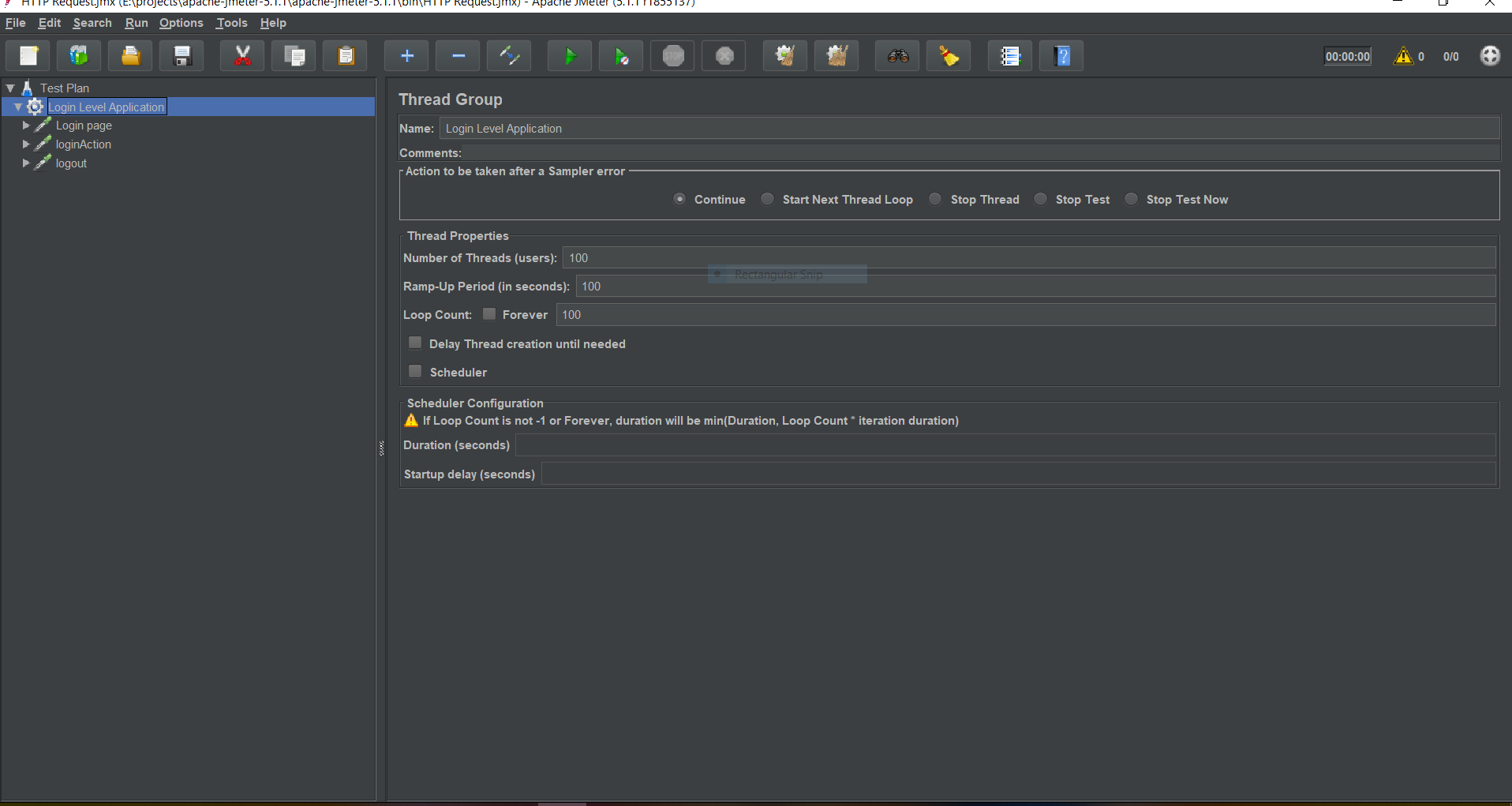 Create a HTTP request sampler for the login page. Login URL is http://mitrahsoft.local/login_Apps/login.cfm, In URL text box, we should add the domain name alone, we can add the remaining path in the path text box. Also, we can add Http/https protocol.
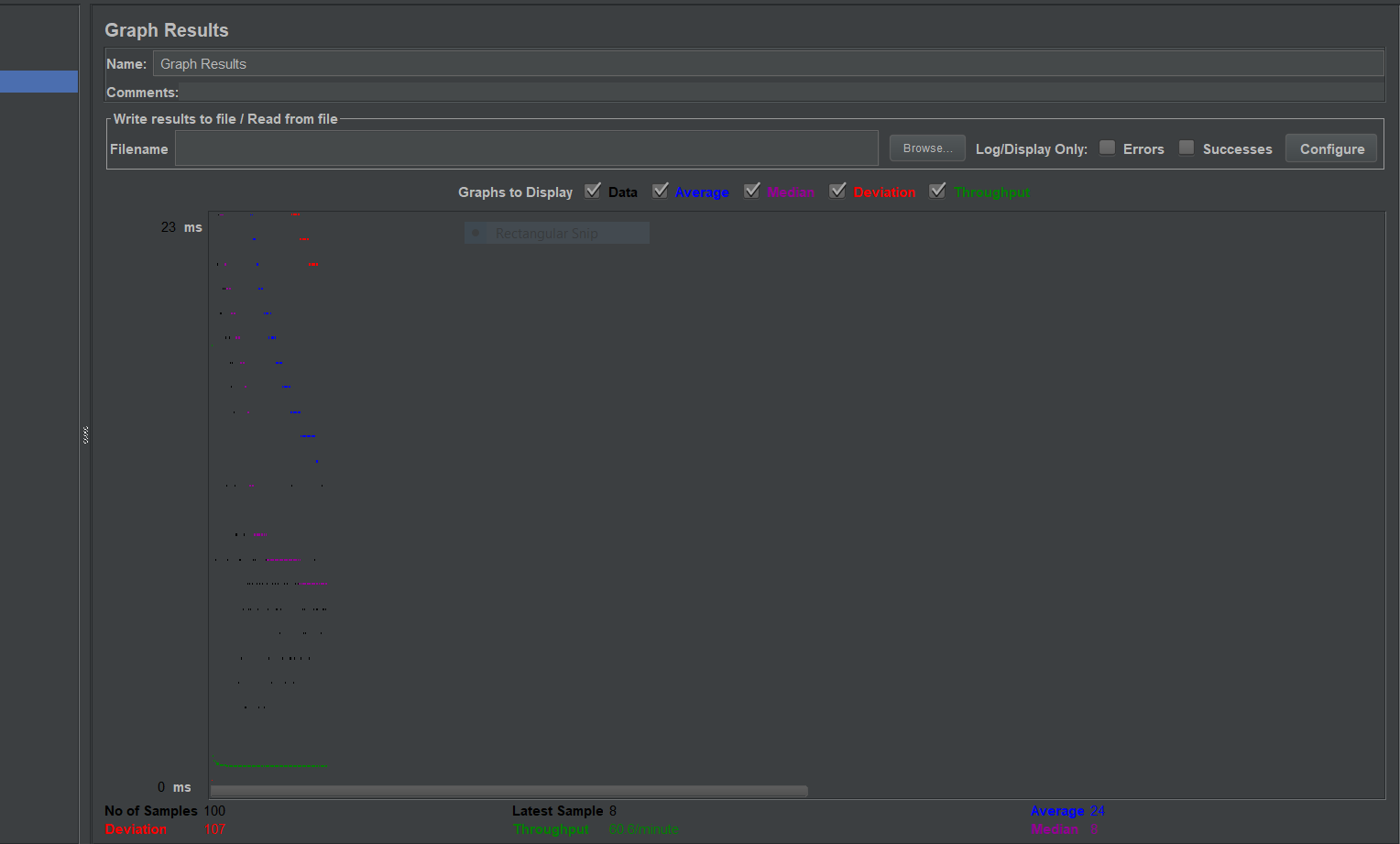
 We can create multiple listeners for the above sampler. Here I've added Graph Listener to view the above HTTP sampler's result.
 Since we need to login into the application, we need to create a new sampler with HTTP request for the action page. Here the action page needs form values so we choose the POST method for this sampler. We can add multiple form values in Send paramters with the request field
Add the input element name in Name column and add values in corresponding values column, Need to check the Include Equals checkbox
In my application UserName, password, submit form fields are required to login.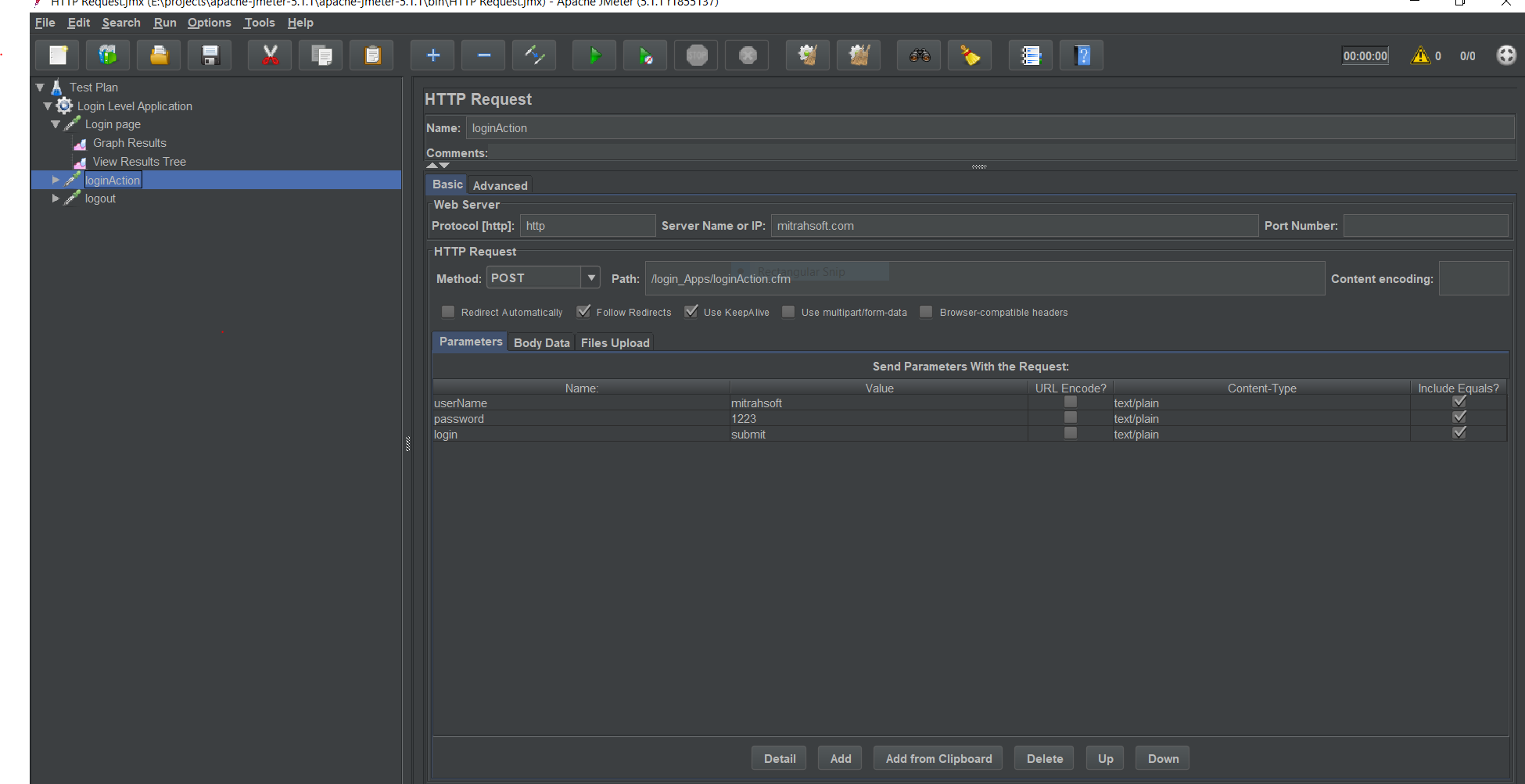 After running 100 threads the result is generated like the image below.
 As the time goes, the technology has seen a draftic developement. Now with the help of tool like jMeter, we are able to create something which really does not exists. For large scale testing, jMeter would be a really handy tool to test our server's capability. With the vast feattures like Heap dump creation, LDAP request, SMS services..etc available in jMeter, we can do real-time user like testing of our server.