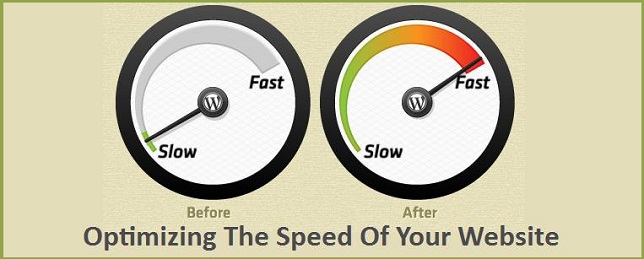



Now a days everyone want to make sure that, their websites are loading in fraction of seconds including all its assets ( css, js, images etc ). Eventually we call it as performance. A site's performance is not only depending upon the server side or javascript code. Possibly your web server can do something about the performance. If We are trying to load a large size image in a page & client's browser may take more time to render the page based on the bandwidth.
Without doing any code changes, we can partially achieve that by simply upgrading our Apache web server's HTTP version to HTTP 2.0 and enabling Gzip compression. Here we will talk about, what are the benefits of using HTTP 2.0 & Gzip. As well as, we will see, how to configure those in Apache web server.
What is HTTP/2.0 ?
HTTP/2 is the evolution of the world's most successful application layer protocol, HTTP. It focuses on making more efficient use of network resources. It does not change the fundamentals of HTTP. it dramatically improves website performance with no downside.
Features of HTTP/2:
- Reduces latency for fast loading the page.
- Multiplexing of request and response.
- Header compression.
- Prioritizing the requests.
Important Note:
It can be used over Secure (HTTPS) with TLS and non-secure (HTTP) protocols, but all the major browsers like Mozilla, Chrome, IE, Safari, Edge had stated that they will support HTTP/2 only with Secure Version of HTTP means HTTPS with TLS). Thus HTTPS is mandatory for using HTTPS over these browsers.
Basic Configuration:

- The first thing, as with every Apache module, is that you need to load it:
LoadModule http2_module modules/mod_http2.soThis module available from apache version 2.4, By default the module not enabled, we should enable that.
For windows users:
To enable the HTTP 2.0 module goto apache\conf\httpd.conf file, Find LoadModule http2_module modules/mod_http2.so. If the line prefix with # symbol then remove the # and then save.
- The second directive you need to add to your server configuration is
Protocols h2 http/1.1(h2 is HTTP/2 over TLS). - This allows h2, the secure variant, to be the preferred protocol on your server connections. When you want to enable all HTTP/2 variants, you simply write:
Protocols h2 h2c http/1.1(h2c is HTTP/2 over TCP)+ - Depending on where you put this directive, it affects all connections or just the ones to a certain virtual host. You can nest it, as in:
Protocols http/1.1
<VirtualHost>
    ServerName test.example.org
    Protocols h2 http/1.1
</VirtualHost>
The order of protocols mentioned is also relevant. By default, the first one is the most preferred protocol. When a client offers multiple choices, the one most to the left is selected. In Protocols http/1.1 h2 , the most preferred protocol is HTTP/1 and it will always be selected unless a client only supports h2. Since we want to talk HTTP/2 to clients that support it, the better order is Protocols h2 h2c http/1.1
There is one more thing in ordering of your options: the client has its own preferences, too. If you want, you can configure your server to select the protocol most preferred by the client: ProtocolsHonorOrder Off
- After finished the above configurations restart the apache service.
Gzip compression
What is Gzip compression ?- Gzip is a method of compressing files (making them smaller) for faster network transfers.It is also a file format.
- When a user hits your website a call is made to your server to deliver the requested files.
- The bigger these files are the longer it's going to take for them to get to your browser and appear on the screen.
- Gzip compresses your web pages and style sheets before sending them over to the browser. This drastically reduces transfer time since the files are much smaller.
- The
mod_deflatemodule provides the DEFLATE output filter that allows the output from your server to be compressed before being sent to the client over the network. mod_deflate is the replacement ofmod_gzipwhich was used with an older version of Apache.
- Gzip is actually a fairly simple idea that is extremely powerful when put to good use. Gzip locates similar strings within a text file and replaces those strings temporarily to make the overall file size smaller.
- The reason Gzip works so well in a web environment is because CSS files and HTML files use a lot of repeated text and have loads of whitespace. Since Gzip compresses common strings, this can reduce the size of pages and style sheets by up to 70%!
- When a browser visits a web server it checks to see if the server has Gzip enabled and requests the web page. If it's enabled it receives the Gzip file which is significantly smaller and if it isn't, it still receives the page, only the uncompressed version which is much larger.
The main reason it is important is because it reduces the time it takes for a website to transfer the page files and style sheets which ultimately reduces the load time of your website.
How compressed files work on the web ?When a request is made by a browser for a page from your site your webserver returns the smaller compressed file if the browser indicates that it understands the compression. All modern browsers understand and accept compressed files.
How to configure Gzip compression:- Enable the mod_deflate & mod_filter(
#LoadModule deflate_module modules/mod_deflate.soandLoadModule filter_module modules/mod_filter.so) module. - Add the following lines at end of the httpd.conf file.
apacheAddOutputFilterByType DEFLATE text/plain AddOutputFilterByType DEFLATE text/html AddOutputFilterByType DEFLATE text/xml AddOutputFilterByType DEFLATE text/css AddOutputFilterByType DEFLATE application/xml AddOutputFilterByType DEFLATE application/xhtml+xml AddOutputFilterByType DEFLATE application/rss+xml AddOutputFilterByType DEFLATE application/javascript AddOutputFilterByType DEFLATE application/x-javascript- Add the following configuration in Apache Virtual Host to enable Gzip compression for your website. You can also add this code in website's
.htaccessfile in the site root.
<Directory /var/www/html/>
    <IfModule mod_mime.c>
        AddType application/x-javascript .js
        AddType text/css .css
    </IfModule>
    <IfModule mod_deflate.c>
        AddOutputFilterByType DEFLATE text/css application/x-javascript text/x-component text/html text/plain text/xml application/javascript
        <IfModule mod_setenvif.c> (only needed for really old browsers)
            BrowserMatch ^Mozilla/4 gzip-only-text/html
            BrowserMatch ^Mozilla/4.0[678] no-gzip
            BrowserMatch bMSIE !no-gzip !gzip-only-text/html
        </IfModule>
    </IfModule>
    Header append Vary User-Agent env=!dont-vary
</Directory>- Restart the apache service.
- We have enabled gzip compression, let's use one of below online tools to verify gzip is working correctly.